
QR
Label without publishing the contents
The printed QR label identifies the box and opens its local PackQR record. It does not turn your detailed item list into a public web page.
Private moving box inventory app for iPhone and iPad
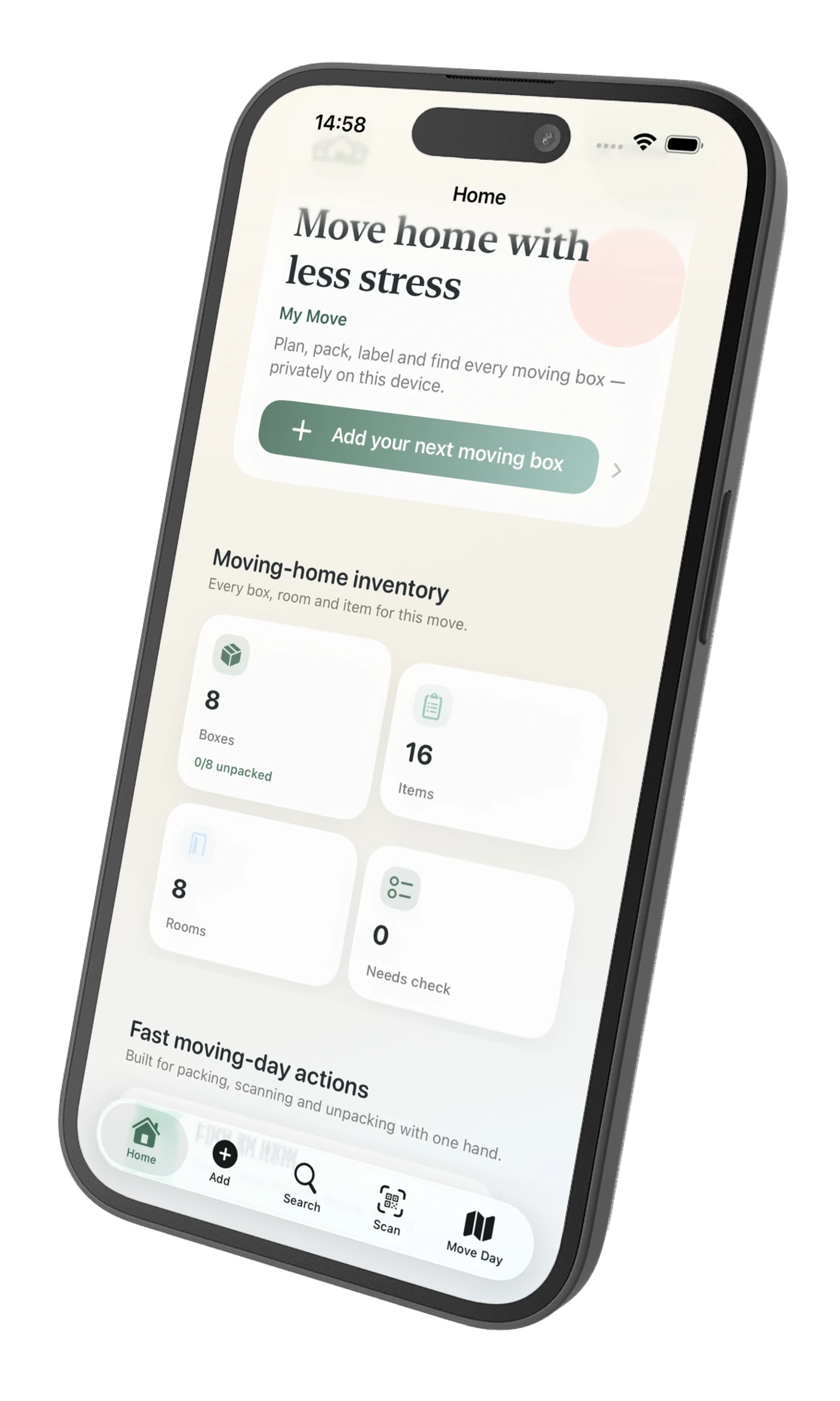
Keep track of what is inside every moving box, print QR moving labels and find packed items offline. When useful, add estimated replacement values later and create a clear record without slowing the packing flow.
One purchase. No ads, subscription or PackQR account.

What PackQR is
PackQR gives each box a private record on your iPhone or iPad. Add the contents while you pack, put a QR label on the outside, then scan or search when you need to find something later.
The printed QR label identifies the box and opens its local PackQR record. It does not turn your detailed item list into a public web page.
Search by item, room, box or notes even when the signal is poor. Your core inventory does not depend on a PackQR server.
Type, speak several items, or use AI Pack Scan as a suggestion tool. Review what PackQR proposes before saving it.
PackQR costs £1.99 once. There is no PackQR subscription to keep your box inventory searchable after moving day.
PackQR 1.8
Version 1.8 brings PackQR’s privacy-first moving workflow together: QR-paired two-device collaboration with encrypted remote return, Sensitive Boxes, optional replacement values and reports, plus stronger safeguards around local inventory continuity.
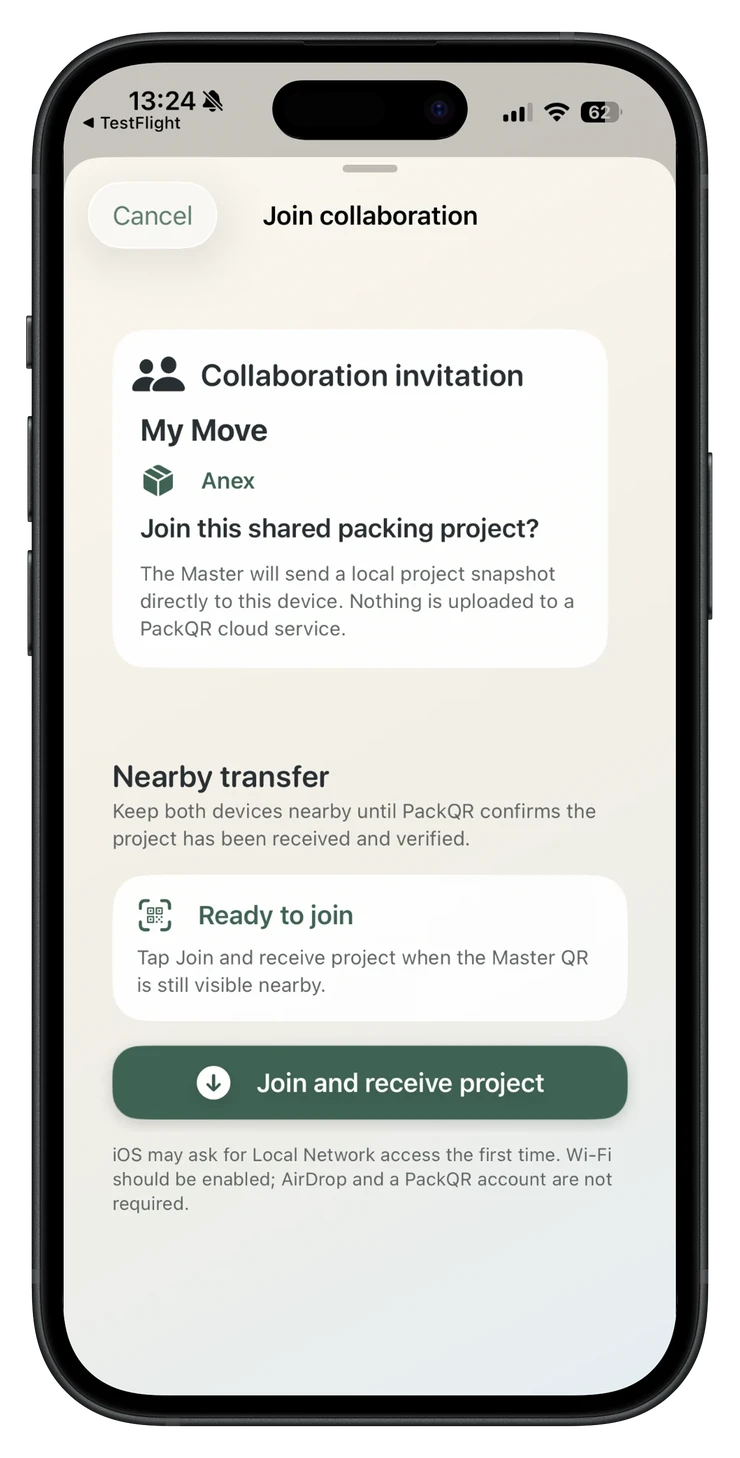
Pair one Master and one Contributor by QR code, share the whole eligible move or only selected rooms or boxes, then work independently offline. Returned additions can come back directly when nearby or as an encrypted PackQR handoff file shared remotely for Master review.
Hide private item names, notes, photos and estimated values behind Face ID, Touch ID or device passcode. Sensitive Boxes stay out of collaboration sharing.
Record optional estimated replacement values after packing, review missing values quickly and create coverage-aware PDF or CSV household contents reports for your own moving or insurance records.
If PackQR finds evidence of a previous inventory but the protected local store is unexpectedly missing, it stops before silently creating an empty replacement and gives you a clear recovery choice.
Pair the Contributor directly with the Master.

See what is valued and what is still blank.

Add values after packing without slowing quick entry.
Privacy-first collaboration
Most shared apps put everyone into one continuously synced inventory. PackQR takes a different route: you choose what the second device receives, both people can pack independently, and you review what comes back.
Share the whole eligible move, selected rooms or individual boxes. Out-of-scope Master inventory is not sent to the Contributor.
Boxes marked Sensitive are excluded from the Master share and can be hidden behind Face ID, Touch ID or device passcode on your own device.
The Contributor gets a local packing copy and can create boxes, add items, use supported voice and AI, and take photos without staying connected to the Master.
Return additions directly when the devices are together, or send the encrypted PackQR handoff file back remotely—for example by email. The Master still reviews what to import before anything changes.
The initial collaboration handoff still needs both PackQR devices nearby so the Contributor can scan the QR and receive the scoped packing copy directly. After that, the Contributor can work offline or in another location and return an encrypted PackQR handoff file remotely—for example by email—or return directly when the devices are together again.
Simple moving-box workflow
The app is built around the thing you actually need on moving day: knowing what is in a box and where it should go.
Give it a number and destination room, then add contents by keyboard, voice or AI-assisted photo recognition.
Print a label with the box number, room and useful handling information without placing the detailed contents on the outside.
Add photos, notes and handling details as useful. Your inventory remains available locally on the device.
When you need the kettle, charger or documents, search the inventory or scan the box instead of opening everything.
Privacy you can understand
PackQR keeps the detailed inventory in your local app record. Sensitive Boxes add another layer for private inventory, and collaboration lets you choose how much context a packing partner receives.
When PackQR is the right fit
PackQR is strongest for one or two people who want a moving-specific QR inventory, offline access, deliberate sharing and optional post-packing replacement-value records without creating a shared cloud inventory.
You want private labels, local records, offline searching, one helper and a review step before their work becomes part of your main inventory.
If several people need to edit the same inventory at once and see changes instantly from different places, a cloud-sync product may suit you better.
Moving beyond the boxes
Move Planner by PackQR is a separate free companion for dates, tasks and moving-day planning. PackQR remains focused on the physical boxes and what is inside them.